Video Overview of Message Hub
For those who prefer learning by video, this walkthrough is for you!
You’ll get a quick overview of what Message Hub is, followed by short videos showing how to set up your message flow (message templates) and how to send them to your guests (known as “invitations”).
Table of contents:
- Introduction to Message Hub
- Video 1: Creating your message templates
- Video 2: How to send to your guests (create an invitation)
- Ways to use Memo

Introduction to Message Hub
Proactive communication makes a big difference. Instead of waiting for questions, Message Hub helps you anticipate what guests need, saving time and improving their experience.
It helps your guests:
- Prepare for their stay in advance
- Arrive relaxed and confident
- Find answers quickly
- Leave with a great impression
And it helps you:
- Reduce repetitive questions
- Save valuable time
- Keep your tone consistent
- Show care and professionalism
How Message Hub Works
Message Hub lets you automate guest communication that:
- Sends by email and/or SMS
- Triggers at key moments (before arrival, during stay, after departure)
- Includes links to specific guide sections
- Feels personal and well-timed
✅ The result: communication that’s thoughtful, helpful, and never overwhelming.
💡 Watch the videos below to learn how to set up and send your first messages.
Video 1: Creating Your Message Templates
This video shows you how to create and edit your message templates, the foundation of Message Hub.
You’ll learn how to:
- Set message type (email/SMS)
- Choose timing and recipients
- Add content and guide links
- Schedule and activate your messages
Video 2: How to send to your guests (create an invitation)
Next, see how to trigger your automated messages or in Touch Stay terms, how to create an invitation.
This step connects your templates to real guests so your messages are sent automatically at the right time.
Ways to use Message Hub
Message Hub can be used with any Touch Stay guide, not only for lodging properties, but also for events.
For lodging properties 🏡
(holiday rentals, glamping, camping, B&Bs, and similar stays)
Use Message Hub to:
- Send your digital guide invite link
- Email or text important pre-arrival info
- Share door codes or access instructions
- Send checkout reminders
- Ask for reviews or share feedback links
- Send thank-you messages
- Share urgent alerts like weather updates
These keep guests informed, supported, and confident throughout their stay.
For events 🎤
Use Message Hub to:
- Send event guide links
- Promote sponsor sections
- Send session reminders
- Encourage booth visits
- Share dining or activity suggestions
- Thank attendees post-event
This keeps attendees engaged and ensures they don’t miss a thing
Building Trust in Your Messages 🔒
To help guests recognise your messages as genuine, always include:
- Guest or attendee name
- Property or event name
- Business name and your (or team) name
- Arrival or event dates
- Property/event location
These details build trust and help prevent messages being mistaken for spam.
In Summary
Message Hub is easy to use but incredibly powerful.
With just a few templates, you can deliver clear, timely, and friendly messages that make guests feel supported, while saving yourself hours of manual work.
💡 Next step: Start creating your first message template and see how effortless guest communication can be!
🤝 Need Help?
If you get stuck, please reach out. We’ll be happy to help!
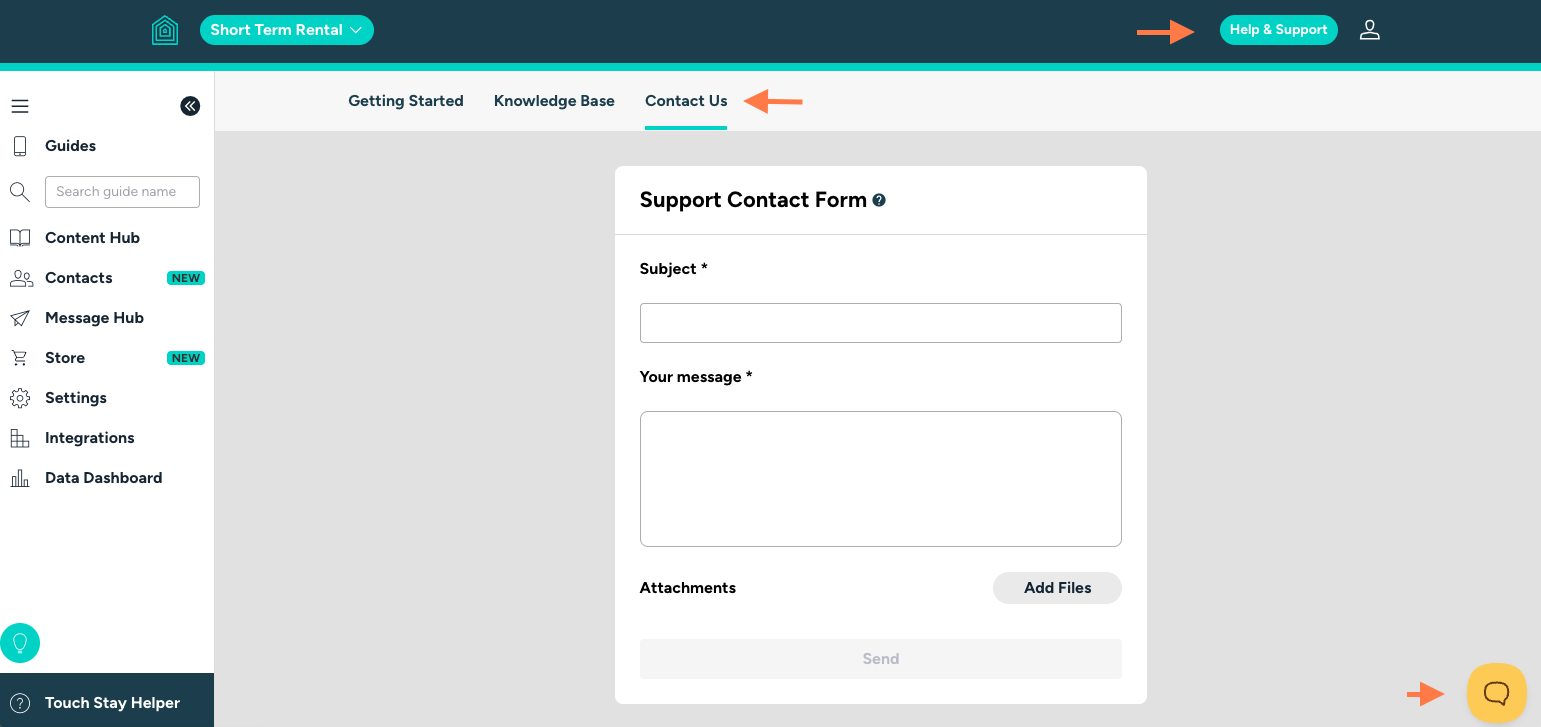
Or send us a ticket directly from your Touch Stay account.